A speakerphone can make an office feel less like a video-call workstation and more like a room you can work in. You can dictate a first draft, move away from the keyboard and hear a colleague without wearing a headset all afternoon. The important purchase decision is whether that freedom produces usable speech in your actual room.
For a small office, our starting shortlist is the original Anker PowerConf for straightforward USB and phone connectivity, with the Jabra Speak2 55 as a comparison for buyers who want its documented meeting features. Neither is a tested transcription winner here. This is a researched buying guide, checked against manufacturer documentation on October 21, 2026; we have not conducted a controlled microphone or transcription comparison.
Start with the job, then choose the microphone
One person dictating at a desk and several people around a table are different recording problems. For solo work, the microphone needs to capture your voice consistently while you type or look away. In a meeting, it needs to accommodate several positions and keep the remote participant intelligible. A device that suits one arrangement may be a poor fit for the other.
Before shopping, record one minute using your laptop. Listen for lost words, distant speech and keyboard noise. Then try moving the laptop, closing the door and lowering the speaker volume. This free baseline tells you what a new product must improve. If the problem is privacy or constant nearby conversation, a headset deserves consideration before a room microphone.
The two speakerphones worth comparing
Swipe or scroll the table sideways to compare every column.
| Product | Documented features relevant to this guide | What to verify before ordering |
|---|---|---|
| Anker PowerConf, model A3301 | Six-microphone array, Bluetooth phone connection and USB-C computer connection | Exact model, supplied cable, seller, return policy and current device compatibility |
| Jabra Speak2 55 | Four beamforming microphones, full-duplex audio and USB-A/USB-C connections on its cable | UC versus Teams variant, required call controls and computer connection method |
The original PowerConf is model A3301 in Anker's documentation. Its microphone count and connectivity make it a sensible candidate for an uncluttered desk; they do not establish that it transcribes more accurately than another device. PowerConf, PowerConf S3 and PowerConf S500 are different products, so match the model on the listing rather than relying on the family name. Anker PowerConf specifications.
Jabra describes the Speak2 55 as supporting simultaneous conversation through full-duplex audio and providing voice-level normalization. Those are useful comparison points for meetings. They are manufacturer features, not our measured findings. Jabra Speak2 55 overview.
Use USB as your computer baseline
Begin a desk setup with USB, select the speakerphone as both the input and output device, and check the choice inside the application as well as the operating system. A connected accessory is not necessarily the microphone an app is recording.
Be particularly careful with the Speak2 55: Jabra's technical sheet specifies USB for computer connectivity and Bluetooth for smartphones or tablets. Its platform certification applies to USB. Treat phone Bluetooth and computer USB as separate purchasing requirements. Jabra technical sheet.
Once the wired setup works, compare the wireless connection you actually intend to use. Repeat the same task after reconnecting the next morning. Convenience includes reliable reconnection, accessible mute controls and an obvious indication that you are recording the intended microphone.
AI dictation needs a different scorecard
A pleasant call does not prove accurate dictation. For purchase evaluation, judge the finished transcript and the effort required to correct it. Names, numbers, punctuation and specialist vocabulary deserve particular attention because a fluent-looking sentence can still contain the wrong detail.
Use an ordinary paragraph, a short list of numbers and a passage containing vocabulary you actually use. Keep the transcription service, its settings, microphone position and room conditions the same. Compare the result against your original text, then time the corrections. A small reduction in editing may matter more to daily use than a dramatic marketing claim about background noise.
No speakerphone should be assumed to make a cloud transcription service private or suitable for confidential information. Check the chosen application's storage, retention and sharing settings separately, and use appropriate consent and workplace practices when recording other people.
A useful return-window evaluation
The following is a proposed evaluation, not a test we have already performed:
- Read the same passage using the laptop microphone and the speakerphone over USB.
- Repeat from your normal chair position and from the point where you usually stand.
- Add a realistic nuisance, such as ordinary keyboard use, rather than an exaggerated noise demonstration.
- Review word errors, incorrect numbers and correction time with the same transcription service.
- Make a real call and check whether both people can speak without a disruptive interruption.
- Disconnect, reconnect and confirm that the app retains the right input and output selections.
Keep the recordings if participants consent and you can store them appropriately. They are more useful than trying to remember whether yesterday's voice sounded clearer. Avoid comparing two different services at the same time as two microphones: that makes the result difficult to interpret.
The buying decision
Choose the PowerConf A3301 if its exact configuration, current price and return terms suit a simple office setup. Compare the Speak2 55 if its USB connectors, meeting-platform variant and documented conversation features solve a specific need. For either, confirm that the product picture and purchase button refer to the same model.
Buy for the improvement you can demonstrate in your room. A microphone specification is a starting point; clear recordings, fewer transcript corrections and an uncomplicated daily setup are the reasons to keep the device.
Explore the options
Our exact PowerConf selection, with the model photograph beside its Amazon button.
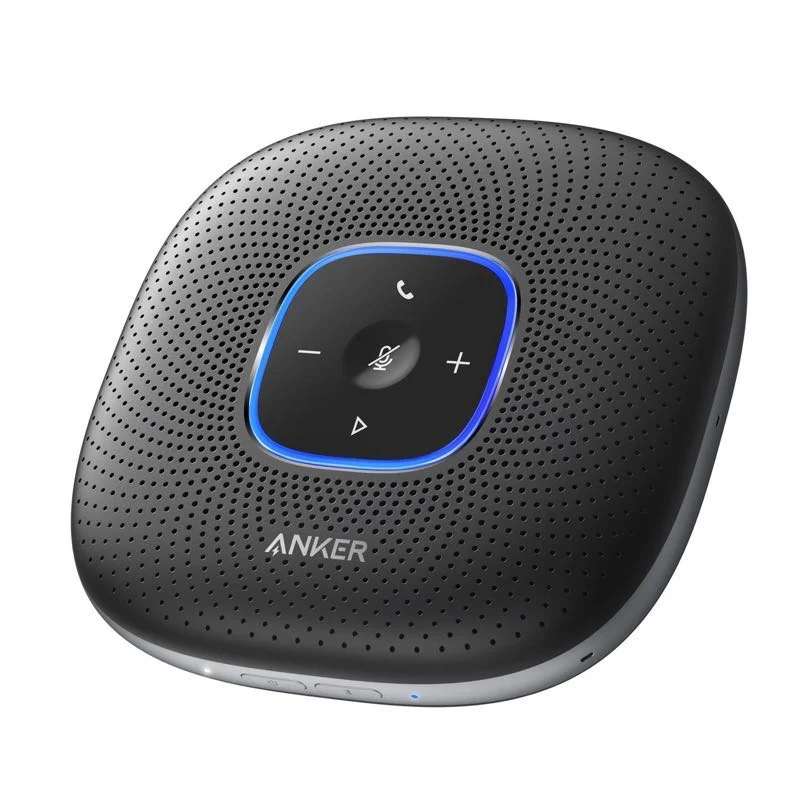
Anker PowerConf A3301 speakerphone
The Editor’s value pick for the working desk; a researched example rather than a controlled transcription winner.
As an Amazon Associate I earn from qualifying purchases. We may earn a commission from qualifying purchases through this button.
View exact product on Amazon ↗ (paid link)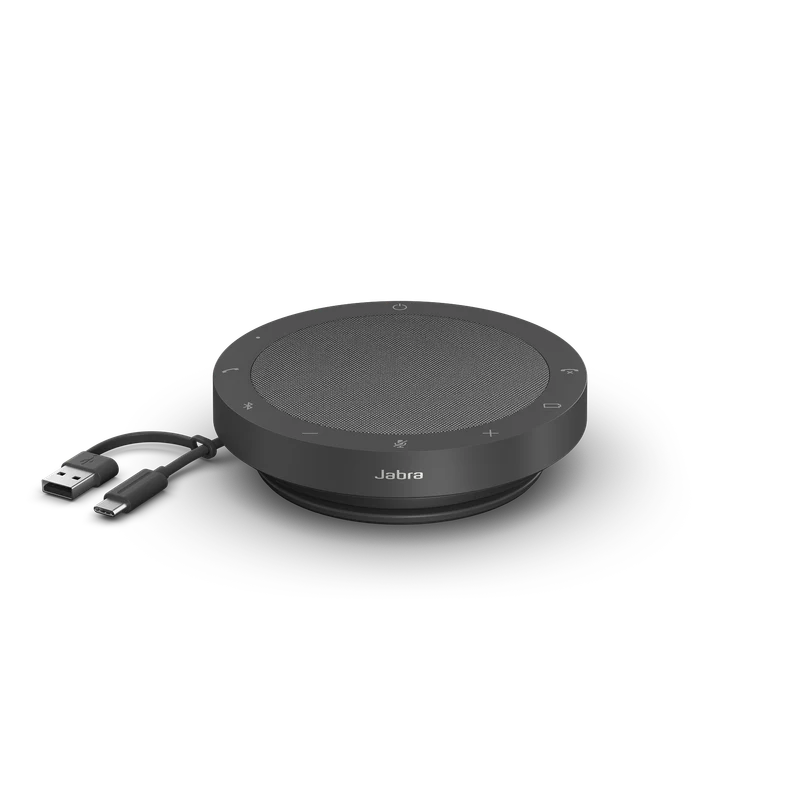
Jabra Speak2 55
Speak2 55 UC pictured. Compare the documented USB computer connection, meeting-platform variant and call controls. Manufacturer product photograph.
Visit Jabra Speak2 55 ↗