
A desk is a system of small interactions. You reach for a cable, position a screen, move a mouse, put headphones down, and clear space for a document. An accessory earns its place when one of those movements becomes easier without creating another problem.
Eight types of upgrade cover most of the desk: electric stapling, wireless charging, multiport charging, heating, laptop stands, mice, shelves and headphone storage. Named products below are independently researched examples.
Start with charging compatibility
Belkin documents a three-in-one Qi2 pad for compatible phones, watches, and earbuds. [1] That illustrates how a combined charging arrangement can replace several separate charging positions.
For both that idea and the separate six-port charging station, begin with the devices. List connectors, power requirements, and how many devices need charging simultaneously. Inspect the exact manufacturer's simultaneous-output table rather than dividing a headline wattage yourself.
A good station makes cable placement less annoying. A visually elaborate one can be enjoyable too, provided its movement, lights, and footprint still make sense at the place you intend to use it.
Stapling is a small but testable automation
Swingline's S7048200 is a documented electric stapler rated for up to 20 sheets. [2] It is a concrete example of using a motor for an ordinary office task.
Judge it by the number of documents you actually fasten, alignment, refilling, and interruption from jams. It may be a useful convenience for a busy desk without becoming an essential purchase for everyone who owns paper.
A cooling stand needs a temperature-and-noise trial
Before choosing a laptop stand, check the computer it supports, its physical fit and whether it has active fans or simply raises the screen.
For a direct test, repeat the same laptop workload in the same conditions and record the result alongside noise and working position. A fan spinning below a computer does not tell us how much its performance changes.
A mouse should suit the hand and the job
Logitech's G502 range provides examples of gaming mice with several wired and wireless versions. [3] They illustrate why the specific version matters even when the name looks similar.
The review should start with grip, button placement, cable preference, and required software. A mouse that feels useful during a game may be equally convenient for a particular work task, but that is something to evaluate rather than assume from the gaming label.
Shelves and stands organize the space you already have
Grovemade's catalog documents desk shelves and related organizers. [4] Its range illustrates why size and material should be chosen around the equipment already on the desk.
Measure before buying. Consider the equipment placed above and below the shelf, cable access, and where your hands need room. The headphone stand is a related decision: does it protect and organize a frequently used object, or occupy space you need for something else?
Neither accessory has to be electronic to belong in a thoughtful technology workspace.
Keep the heater separate from the charging system
A desk heater needs a careful check of its manual and placement. CPSC advises keeping portable heaters at least three feet from combustible materials and plugging them directly into a wall outlet rather than an extension cord or power strip. [5]
That makes it a different electrical decision from consolidating small chargers. Do not treat a crowded desk's spare power-strip socket as an installation plan.
Our buying judgment
Choose one repeated annoyance and solve it. Then spend a full workday with the new arrangement before adding another accessory. The best desk has useful space and understandable controls; it does not need every available upgrade at once.
Sources
- Belkin Qi2 pad example
- Swingline S7048200
- Logitech G mice
- Grovemade catalog
- CPSC portable-heater guidance
The product edit
A researched product example selected for the buying questions above. Confirm the exact configuration and your requirements before purchasing; we have not performed a hands-on test.
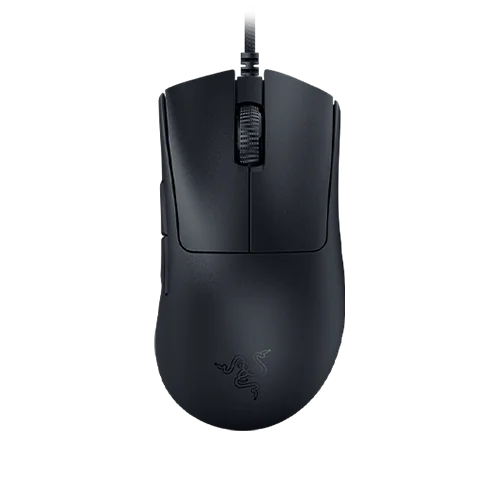
Razer DeathAdder V3, wired
Use a lightweight wired mouse for a gaming or working desk.
View exact product on Amazon ↗ (paid link)