
A single wall charger can make a travel kit pleasantly smaller. The catch is that the number printed on the box rarely describes what every port delivers at the same time. A laptop, phone and watch can all be connected while the laptop receives considerably less power than expected.
Start with the devices you actually carry and the way you charge them. Overnight charging on a bedside table is a different job from running a laptop through a demanding workday while replenishing two other devices. This guide uses published specifications to explain that choice; we have not measured these chargers’ output or charging times.
Count connectors before counting watts
Write down the cable needed by each device. A USB-C laptop and phone may use ordinary USB-C cables, but a watch generally needs its own compatible magnetic charging cable or puck. A USB-C socket on a wall charger cannot charge a watch directly without that accessory.
Three USB-C accessories also need three suitable USB-C ports. Two USB-C ports plus one USB-A port may be inconvenient even when the total wattage looks generous. Avoid solving this with an unverified adapter, particularly when the watch’s charging method has specific requirements.
Keep the cable for each device in the kit during your comparison. A multiport charger reduces wall adapters; it does not remove the need for the correct device connectors.
Work out the simultaneous load
Check the laptop manufacturer’s supported charging input and its supplied adapter. Then decide whether the travel charger must match that experience under load or merely restore the battery during breaks. A notebook can accept a lower-power adapter yet charge slowly, warn about the connection or draw down its battery during demanding use.
For planning, a hypothetical 65W laptop allocation, 25W phone allocation and 5W watch allocation add up to 95W. That is an example budget, not a promise that a 100W charger will supply that exact combination. Its port-sharing rules still decide what each connection can negotiate.
Leave room for your charging habits. If the laptop can charge alone first, a smaller unit may be enough. If every device arrives nearly empty and you need to work immediately, prioritizing a higher laptop allocation is more useful than counting spare sockets.
Read the port-sharing table
Find the manufacturer's output table for the exact model. Read the row for the ports you intend to use, not simply the largest single-port figure. Port positions can matter; moving the phone from one USB-C port to another can change the laptop’s allocation.
The Anker 140W four-port charger, sold in the A2697 family, illustrates this well. Its published table lists 140W from either of the first two USB-C ports when used alone. Using those two together gives 70W plus 70W. Connecting the first USB-C port and the third instead permits 100W plus 40W. With all three USB-C ports occupied, the listed split is 65W, 45W and 30W.
Those are model specifications, not measured delivery to your particular devices. A phone or watch draws only what its supported charging arrangement requests. The useful lesson is to select the appropriate connection pattern before assuming the laptop keeps its maximum rate.
Choose for the ports you will actually use
The Anker Prime 100W three-port charger, A2688, has two USB-C ports and one USB-A port. Its specifications list up to 100W with one or two ports in use and 89W total with all three occupied. Those totals do not mean each connected device gets 100W.
That layout can suit an existing USB-A accessory. It is less straightforward for a laptop, USB-C phone and USB-C watch puck used together. A third USB-C port may justify choosing a different design even if you do not need its highest headline wattage.
Check the exact model number, regional plug and included cable at checkout. Similar product names can cover different generations. The pictures and purchase buttons below identify the specific models discussed here.
Watts are only one part of compatibility
A matching connector and a large power rating do not establish support for every fast-charging mode. Check the phone’s required protocol, the charger’s supported output and any cable requirement. Treat compatibility as a complete connection from wall adapter to device.
For a laptop cable, read the declared power rating rather than judging its thickness. USB-IF’s cable guidance distinguishes power markings from data-speed markings; a cable sold for substantial charging power does not automatically provide fast SSD transfers or monitor support. A clearly specified cable is more useful than an impressive braid or a vague “fast” label.
A cable’s maximum rating does not force that power into a device. It also cannot make a charger or laptop support a mode they lack. Choose the rating and protocol appropriate to the intended combination.
Keep the correct watch puck
Apple specifies a compatible USB-C magnetic fast-charging cable and an appropriate power adapter for supported Apple Watch models. Its fast-charge guidance also distinguishes model and regional charging-cable differences. Check your exact watch rather than assuming every puck provides the same speed.
The same principle applies outside Apple’s ecosystem: retain a charging accessory approved for your watch and verify its connector. A generic wireless pad or a phone’s magnetic charging accessory should not be assumed to work with it.
Give the puck a suitable port, then organize the remaining connections around the laptop’s required allocation. Buying more watts does not replace the watch’s charging hardware.
Test your complete kit before leaving
Connect everything in the arrangement you intend to use, while the laptop is doing representative work. Check the battery indicator and any low-power warning. Reconnect another device and observe whether charging resumes correctly after any renegotiation.
Allow ventilation around the adapter and confirm that the wall plug sits securely. For international travel, verify the input label, destination plug and any adapter’s rating. A plug adapter changes the connection shape; it should not be assumed to convert voltage.
For a mostly overnight routine, prioritize compactness and the right sockets. For simultaneous work and charging, prioritize the laptop’s actual multiport allocation. The best one-charger kit is the one whose complete set of cables and devices behaves as expected together.
Explore the options
Product examples discussed in this guide. Confirm the exact variant, selected seller and current terms before ordering.
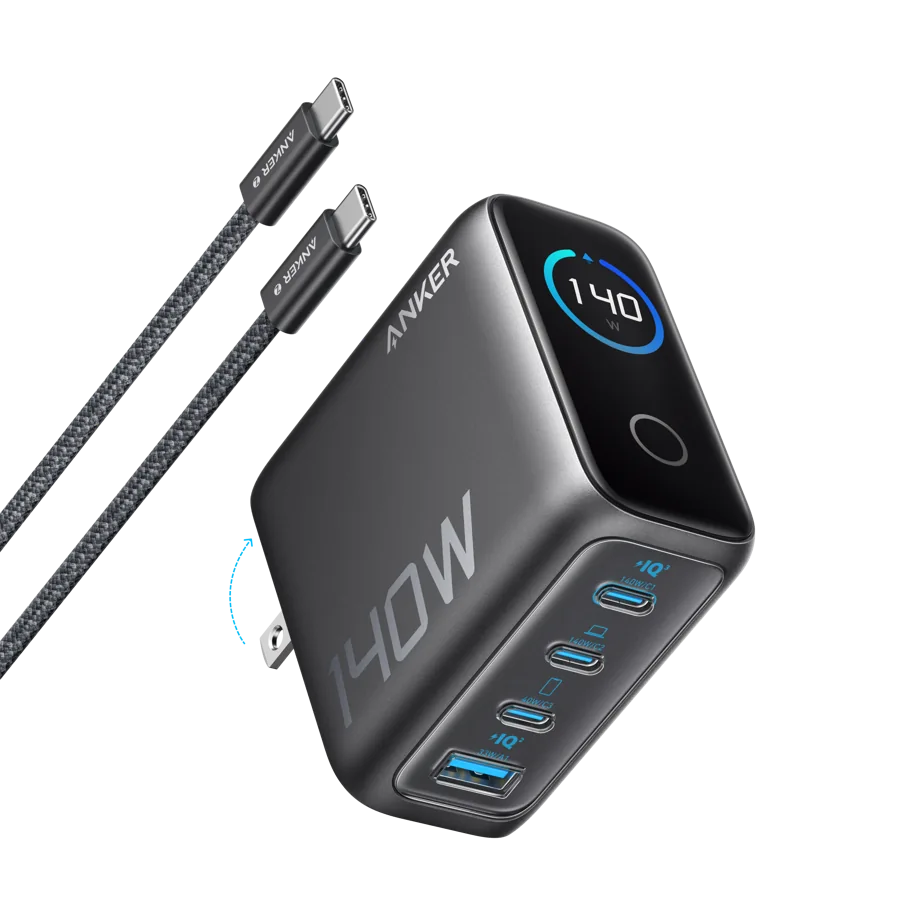
Anker 140W four-port charger — A2697
Three USB-C ports for a laptop, phone and compatible watch puck, with model-specific power sharing.
As an Amazon Associate I earn from qualifying purchases. We may earn a commission from qualifying purchases through this button.
View exact product on Amazon ↗ (paid link)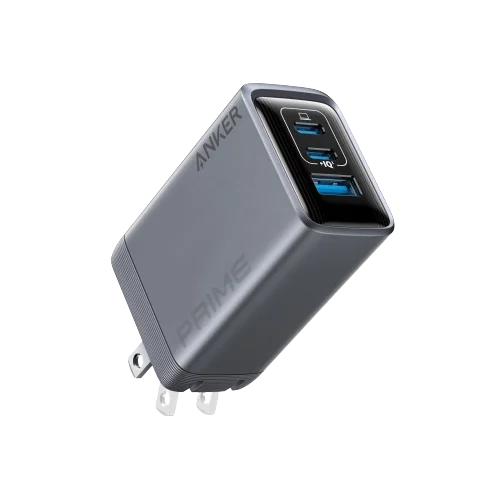
Anker Prime 100W three-port charger — A2688
A smaller-port-count option when one of your actual accessories uses USB-A.
As an Amazon Associate I earn from qualifying purchases. We may earn a commission from qualifying purchases through this button.
View exact product on Amazon ↗ (paid link)