
The considered selection
Compact is a useful goal only if the keyboard still fits your work. An arrow-key user, a spreadsheet regular and someone who types on a tablet will make different compromises. Saving a few inches can bring the mouse closer, but replacing familiar keys with awkward combinations can cost more than the space is worth.
This shortlist moves from laptop-like keyboards to mechanical layouts and a tenkeyless option. It is based on manufacturer information, not a comparative typing test. Choose the correct language layout, switch and connection before comparing retailer offers; the model name alone rarely describes the complete keyboard.
How to use this list
- Identify keys you use without looking: arrows, function row and navigation cluster.
- Choose a switch and sound level appropriate to the room.
- Check device switching, receiver inclusion and configuration-software support.
The numbers organize ten distinct choices. They are not performance scores or Amazon sales ranks. Pick the item that solves your own problem; there is no need to buy the whole list.
Do a five-minute layout audit
While doing a familiar task, note the keys and shortcuts you use without looking. The right small board preserves that work rather than making you relearn it.
- Arrows, navigation and function keys: inspect the actual key map, not only the layout percentage.
- Frequent number entry: decide whether losing a number pad would add work.
- Shared room: compare the exact switch option and try to hear or use it before committing.
- Several devices or frequent travel: check switching, receiver storage and the complete packed kit.
Confirm language layout, operating-system legends and the permitted return conditions. A smaller board should recover useful space without making familiar work harder.
Logitech MX Keys Mini
Consider it for: For a familiar low-profile work keyboard
The MX Keys Mini is a candidate for someone who wants a restrained desktop keyboard without moving far from a laptop-style arrangement. Its illuminated keys make it a different proposition from a basic travel board. Choose it for the daily writing setup, especially if you already know that you prefer a low profile to taller mechanical keys.
Evidence: manufacturer information ↗ · Research checked October 18, 2026
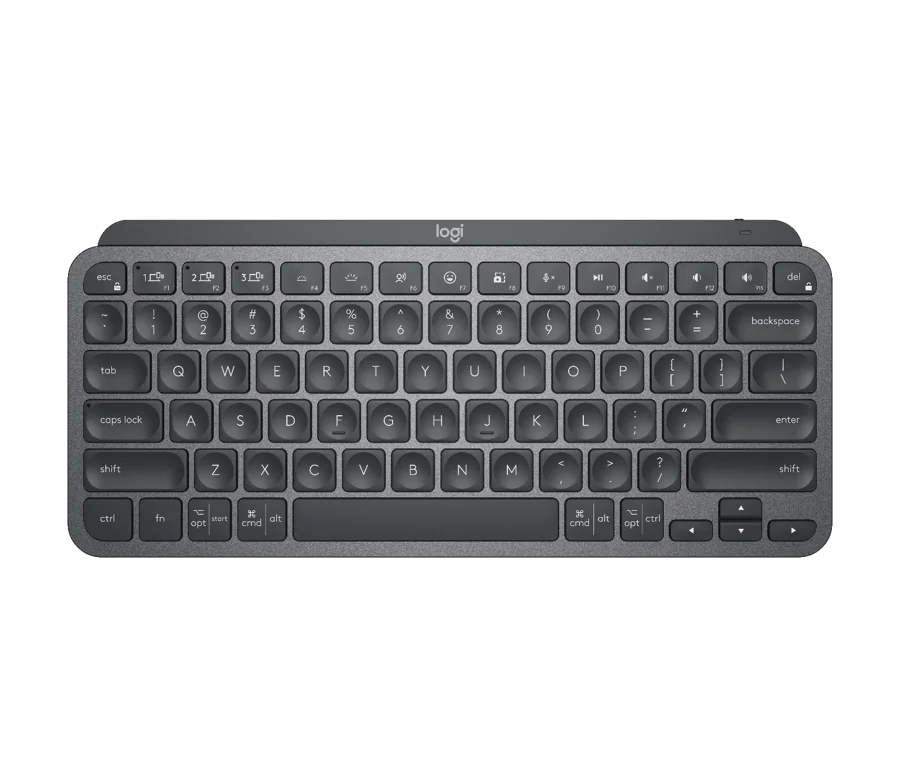
Logitech MX Keys Mini
Logitech Pebble Keys 2 K380s
Consider it for: For uncomplicated multi-device typing
The K380s belongs on a shortlist for a secondary desk, tablet or shared working area. Its compact outline and distinctive round keys make the design easy to recognize. The editorial case is straightforward: buy a keyboard around the devices you switch between, rather than paying for gaming or customization features that will sit unused throughout the working week.
Evidence: manufacturer information ↗ · Research checked October 18, 2026
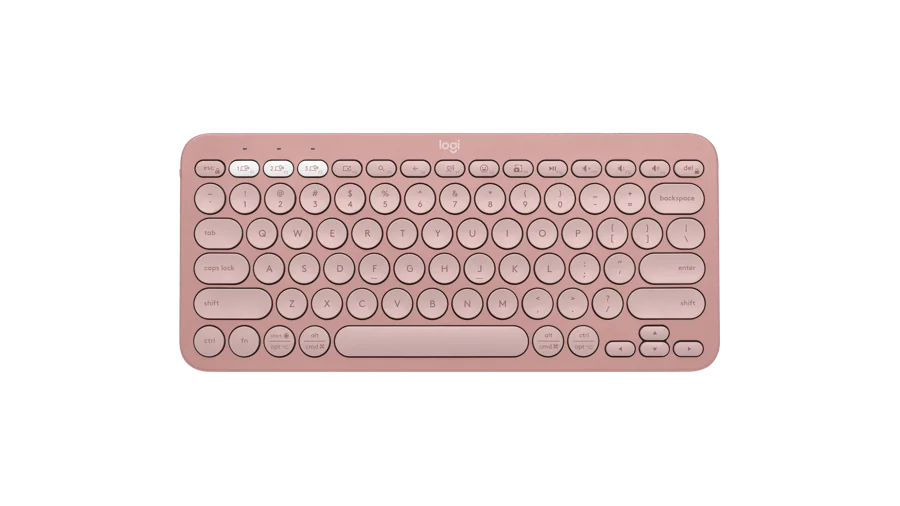
Logitech Pebble Keys 2 K380s
Logitech Keys-To-Go 2
Consider it for: For a tablet or light travel bag
Keys-To-Go 2 is the portability-first choice to investigate when a tablet becomes a writing machine only occasionally. The built-in cover makes sense for a keyboard that repeatedly goes into a bag. It is a different purchase from a desk anchor: consider the surface on which you will type and whether a separate tablet stand is already part of your kit.
Evidence: manufacturer information ↗ · Research checked October 18, 2026

Logitech Keys-To-Go 2
Logitech MX Mechanical Mini
Consider it for: For mechanical keys in a restrained design
This is the mechanical alternative for a reader attracted to the MX Keys Mini’s overall approach. Logitech offers distinct switch versions, making the exact selection central to the purchase. A quieter-sounding switch name is useful for narrowing options, but it cannot tell you whether you will enjoy typing on it. Compare the switch choice before comparing the finish.
Evidence: manufacturer information ↗ · Research checked October 18, 2026

Logitech MX Mechanical Mini
Keychron B1 Pro
Consider it for: For a slim alternative to mechanical boards
The B1 Pro gives Keychron shoppers a route that does not begin with tall mechanical switches. It is worth considering for a compact home desk where a low profile is the priority. Think of it as a practical layout decision, then examine its connection and configuration options. A brand’s enthusiasm for customization is only valuable when those options fit your actual devices.
Evidence: manufacturer information ↗ · Research checked October 18, 2026

Keychron B1 Pro
Keychron K3 Max
Consider it for: For a slim mechanical function-row layout
The K3 Max is a candidate for people who want a relatively compact mechanical board while retaining dedicated function keys. Its low-profile design changes the desk arrangement as much as the typing proposition. Write down the shortcuts you need, then inspect the actual key map. The correct keyboard is the one that lets established habits survive the reduction in size.
Evidence: manufacturer information ↗ · Research checked October 18, 2026

Keychron K3 Max
Keychron K7 Max
Consider it for: For less width and fewer dedicated keys
The K7 Max takes the slim mechanical idea into a smaller layout. That can be attractive beside a large mouse mat or in a travel setup, provided you are comfortable putting more commands behind layers. It is a choice for someone willing to learn a key map. Photograph your current keyboard and mark the keys you would miss before committing.
Evidence: manufacturer information ↗ · Research checked October 18, 2026

Keychron K7 Max
Keychron K8, tenkeyless
Consider it for: For familiar navigation without the number pad
The original K8 provides a useful counterpoint to tiny keyboards: remove the number pad while keeping a more conventional navigation area. It is a candidate when your desk needs less width but your hands resist compressed layouts. This is an established model, not a claim about the latest Keychron generation. Compare its exact configuration against newer alternatives before choosing.
Evidence: manufacturer information ↗ · Research checked October 18, 2026

Keychron K8, tenkeyless
Razer BlackWidow V4 75%
Consider it for: For gaming and a customizable mechanical desk
The wired BlackWidow V4 75% is a candidate for someone whose compact keyboard needs to bridge gaming and everyday typing. Its hot-swappable design invites a more involved ownership style than a sealed office keyboard. Choose this direction if experimenting with compatible switches is part of the appeal. Otherwise, a simpler keyboard may be easier to live with.
Evidence: manufacturer information ↗ · Research checked October 18, 2026

Razer BlackWidow V4 75%
Razer Huntsman Mini
Consider it for: For a deliberately minimal gaming layout
The Huntsman Mini is worth investigating when mouse space matters more than a complete set of dedicated keys. Its small layout asks the buyer to be intentional. A gaming setup may accommodate that compromise readily; a document-editing routine full of navigation commands may not. Study the secondary functions before treating the smaller footprint as a universal improvement over a larger board.
Evidence: manufacturer information ↗ · Research checked October 18, 2026

Razer Huntsman Mini
The last word
Choose the layout first, the switch second and the visual finish last. For a shared office, sound can be as consequential as size. For travel, include the weight of the cover, receiver and stand in the comparison rather than looking at the bare keyboard alone.
Keep your original keyboard until the new arrangement has survived ordinary work. A compact board should make the desk easier to use; there is no prize for tolerating a layout that repeatedly interrupts your day.