The considered selection
The best pointing device for one desk can be the wrong shape for the next person. Hand size, handedness, desk space and the way you scroll should lead the decision. Sensor numbers are useful specifications, but they cannot tell you whether a mouse will suit the way you hold it.
We selected ten different approaches rather than naming a universal winner. These are research-based candidates, not results from a comfort or latency test. A vertical mouse or trackball should not be treated as a medical treatment; the practical aim here is to find a control method that fits your work and your setup.
How to use this list
- Match hand size and handedness before buying.
- Check receiver, Bluetooth and software support on the actual computer.
- Consider scrolling, gestures and available desk movement, not just sensor resolution.
The numbers organize ten distinct choices. They are not performance scores or Amazon sales ranks. Pick the item that solves your own problem; there is no need to buy the whole list.
Logitech MX Master 3S
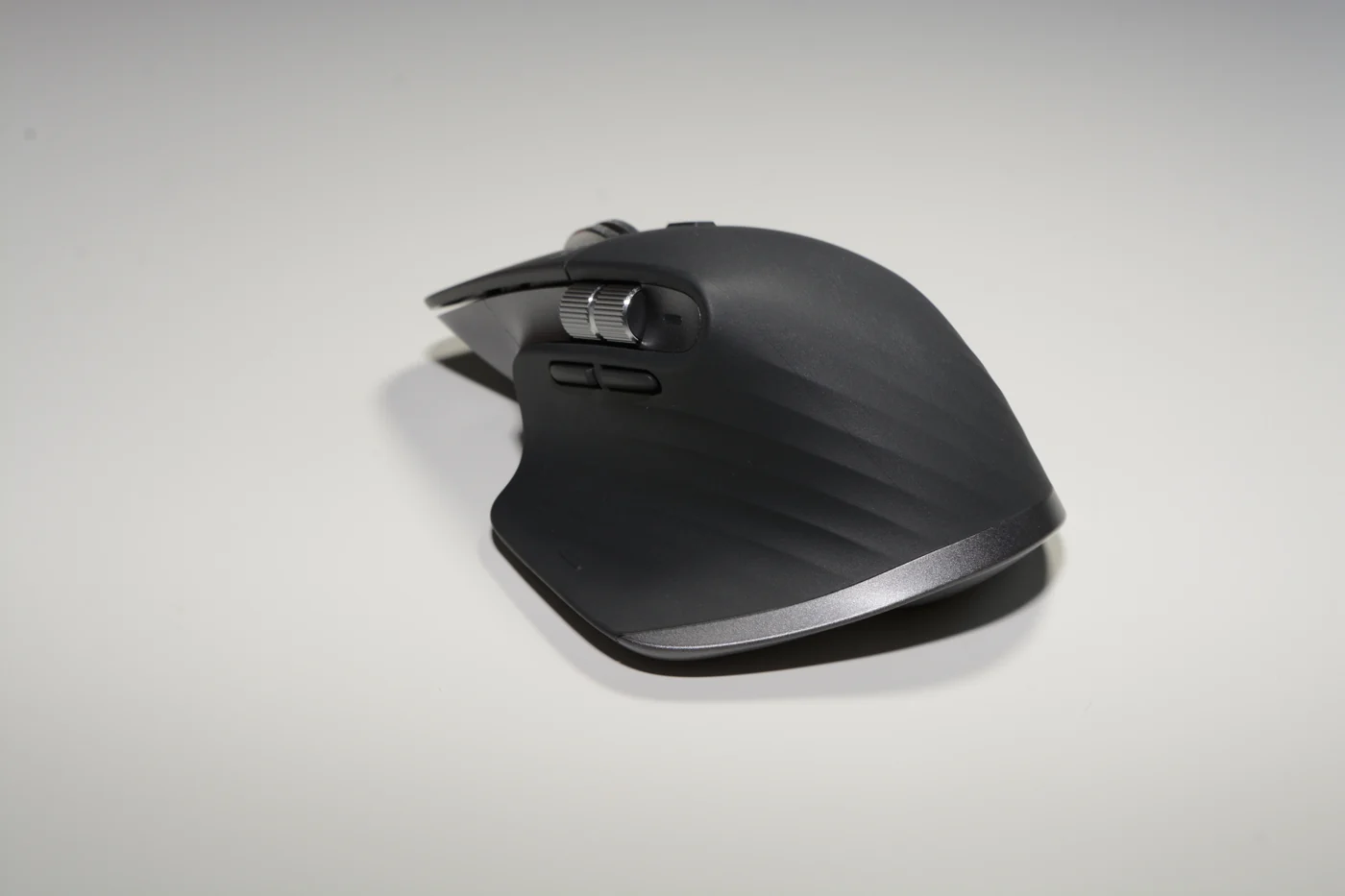

Consider it for: For a substantial productivity mouse
The MX Master 3S remains a candidate for people who spend much of the day moving through documents and application controls. It is an established model rather than the newest MX Master generation. That can make comparison more useful: choose around its size, scrolling approach and software support instead of assuming that either the older or newer model wins automatically.
Evidence: manufacturer information ↗ · Research checked October 18, 2026
Logitech MX Anywhere 3S
Consider it for: For a smaller working and travel mouse
The MX Anywhere 3S is the compact counterpoint for people who move between desks. It belongs on a shortlist when a full-sized productivity mouse feels like one more object to pack. Consider the compromise deliberately: a smaller body is convenient to carry, but it may change how you support the hand during a long session of detailed work.
Evidence: manufacturer information ↗ · Research checked October 18, 2026
Logitech Lift
Consider it for: For small-to-medium hands exploring a vertical design
Logitech positions Lift around small-to-medium hands, making it a sensible starting point for comparing vertical mice by actual fit. The upright orientation changes the familiar interaction, so allow time to judge ordinary tasks rather than forming a verdict from a photograph. Left-handed buyers should inspect the specific version carefully instead of assuming that every color or package is offered for both hands.
Evidence: manufacturer information ↗ · Research checked October 18, 2026
Logitech MX Vertical
Consider it for: For medium-to-large hands exploring another shape
The MX Vertical is Logitech’s larger-hand direction to compare with Lift. Its purpose in this list is to make fit explicit: two mice can share an upright idea and still be very different purchases. Consider where the thumb and fingers naturally rest, then review the button arrangement. A shape that looks impressive on a desk can still be wrong for you.
Evidence: manufacturer information ↗ · Research checked October 18, 2026
Logitech ERGO M575 for Business
Consider it for: For a stationary thumb-trackball setup
A thumb trackball changes the allocation of movement: the device stays in one place while the thumb moves the cursor. The ERGO M575 for Business is a candidate when desk space is restricted or you want to investigate that control style. Treat the first days as a learning period and consider whether fine selection and longer navigation fit your routine.
Evidence: manufacturer information ↗ · Research checked October 18, 2026
Logitech Pebble Mouse 2 M350s
Consider it for: For a light secondary setup
The Pebble Mouse 2 M350s is a candidate for a restrained desk or a bag that already contains too much technology. Its flatter outline is central to the appeal, particularly if an elaborate gaming or productivity mouse would feel unnecessary. Buy it because you want a simple control for the devices you actually use, with the connection requirements checked beforehand.
Evidence: manufacturer information ↗ · Research checked October 18, 2026
Apple Magic Trackpad, USB-C
Consider it for: For macOS gestures beside an external keyboard
The Magic Trackpad is the alternative for a Mac user who works naturally with gestures and wants that surface on a desktop. It can sit alongside a mouse rather than replacing one immediately. Think about the tasks you do repeatedly—switching spaces, scrolling and navigating content—and whether preserving familiar MacBook interaction is more valuable than adding mouse buttons.
Evidence: manufacturer information ↗ · Research checked October 18, 2026
Razer Pro Click Mini
Consider it for: For a compact mouse with scrolling options
The Pro Click Mini is a candidate for someone who wants a compact productivity mouse with more involved scrolling controls. Razer’s support page identifies the model and its tilt-wheel arrangement, useful details when similar product names appear in search results. Compare it around the work you actually perform; a portable body and extra controls solve different needs and both should earn their place.
Evidence: manufacturer information ↗ · Research checked October 18, 2026
Razer DeathAdder V3, wired
Consider it for: For a gaming desk that can keep a cable
The wired DeathAdder V3 is a candidate when a gaming mouse does not need to leave the desk or share Bluetooth connections. The cable is part of the decision, not an incidental detail. Choose this direction if a dedicated gaming arrangement is the priority, then inspect the shape and button placement instead of treating the sensor specification as a complete buying recommendation.
Evidence: manufacturer information ↗ · Research checked October 18, 2026
Kensington Expert Mouse Wireless Trackball K72359WW
Consider it for: For finger-operated trackball control
The Expert Mouse Wireless Trackball offers a different stationary approach from a thumb trackball. Its large ball and surrounding scroll ring make it a candidate for people willing to rethink cursor control at a fixed workstation. Consider the footprint as well as the movement method: stationary does not mean tiny. It is most useful to compare it against your actual editing or navigation routine.
Evidence: manufacturer information ↗ · Research checked October 18, 2026
The last word
The useful shortlist is likely to contain two different shapes, not ten near-identical sensors. Compare the way you reach, click and scroll on an ordinary working day. If possible, use a return window to assess fit without discarding packaging or the existing device.
After choosing, adjust pointer settings and the desk arrangement before deciding the hardware is wrong. Keep health claims separate from a shopping decision; persistent discomfort deserves appropriate professional assessment rather than another untested accessory promise.