
Name the problem first
An aging computer can make every new model look persuasive. Before replacing it, describe the problem in one sentence. Is the battery no longer sufficient for a trip? Is an application unsupported? Is the screen damaged? Does the computer simply feel slow in a task that has not been investigated? Each answer points to a different decision, and only some require a whole new machine.
This framework is for an ordinary consumer purchase, not a diagnosis of a particular device. Back up important files before service or a major change, and use the manufacturer’s guidance for the exact model. If the machine is essential to your work, the value of continuity belongs in the calculation alongside the price of a part.
Calculate from today forward
Compare the actual repair quote with the total cost of a suitable replacement. Add required accessories, setup time and any software migration. Subtract only a realistic resale or trade-in amount you can verify. Do not use an optimistic listing from a different condition or configuration as though it were guaranteed proceeds for your own machine.
The money paid years ago is part of the history, but it should not determine the next purchase. A computer that was expensive new can still be sensible to retire; an inexpensive one can still be worth keeping. Focus on what each option will cost now and how well it will meet the work you expect during the period you intend to use it.
When a repair is the stronger choice
A repair becomes attractive when it addresses a specific fault and leaves an otherwise suitable device. A battery, keyboard or screen can be a much narrower problem than a whole computer. Get a quote and ask about parts, service warranty, turnaround time and the handling of your data. A low quote without a clear scope is not yet a useful comparison.
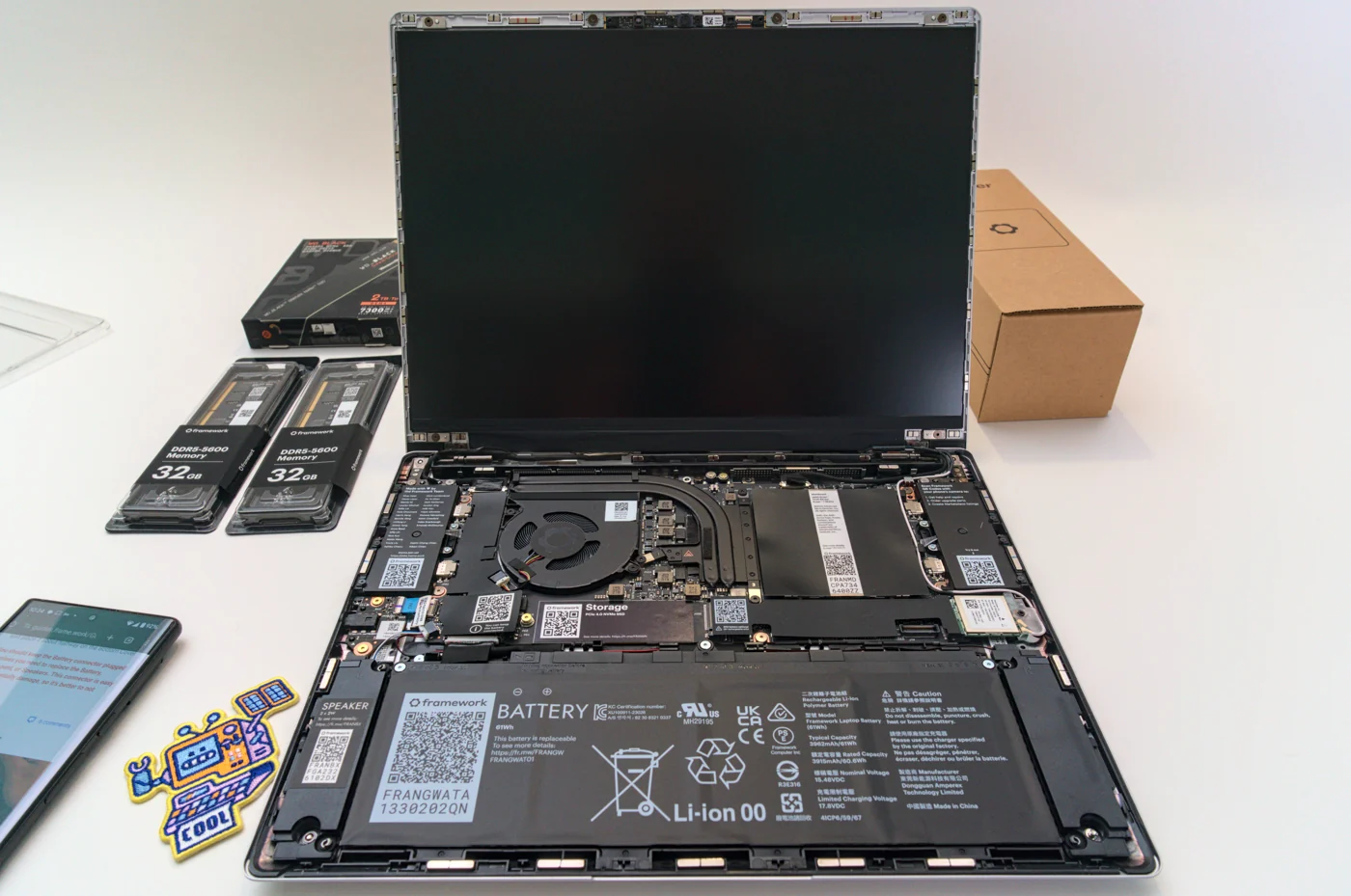
For a design with supported replacement parts, consult the exact compatibility information. Framework’s parts Marketplace illustrates the value of being able to identify a component instead of replacing the entire system. Do not assume every laptop supports the same changes, or that a part sharing a family name will fit your model. Repairability is something to verify at the component level.
When replacement is justified
Replacement can be reasonable when essential software support has ended, repeated faults disrupt work or the machine cannot meet a clearly defined new requirement. In those cases, buy against that requirement. If local AI is the new task, specify the model and runtime; if travel is the problem, evaluate the complete carry kit and usable working experience.
A faster processor does not resolve every complaint. A poor connection, insufficient backup or an application problem may follow you to the new computer. Investigate enough to avoid carrying the same issue into a more expensive chassis. If you cannot explain what the replacement will do better for your actual task, give the decision another look.
The option to keep what works
Keeping a functioning device is an active decision when it still meets your needs. Clean up the working setup, install appropriate supported updates and remove unnecessary complications. A better desk arrangement can change the experience without replacing the computer. Small improvements should solve a named problem, rather than become a shopping exercise that costs almost as much as a justified upgrade.
Inspect the information the device already provides. Apple documents battery cycle counts and memory usage as useful observations for Macs. Neither is a complete diagnosis, but both can help distinguish a vague sense of age from a specific issue. Record the symptom, what you checked and what would trigger reconsideration. A decision to keep becomes easier when it has a clear reason.
Use a simple decision sheet
Write three rows: keep, repair and replace. For each, record cost now, expected inconvenience, the problem it solves and what remains unresolved. Use the same time horizon for all three. If a repair buys enough useful life for a modest cost, it may win. If it leaves the main limitation untouched, replacement may be the more honest answer.
The Amazon laptop search below is a reference for the replacement side of that comparison, not a recommendation to discard a working machine. Check the exact configuration and seller before treating any offer as the alternative to a repair quote. The goal is a reliable working setup at a defensible total cost. Sometimes that arrives in a new box; sometimes it is already on your desk.
Products to investigate
These are relevant configuration examples, rather than a tested ranking. Use the manufacturer information to confirm the complete specification.
Apple MacBook Air M5
A current laptop reference when calculating a replacement option.
Evidence: manufacturer information ↗ · Research checked October 18, 2026

Apple MacBook Air M5