The considered selection
A better desk does not begin with ten new purchases. It begins with the cable you reconnect every morning, the drive that is always full, or the meeting in which nobody can hear you. These ten candidates solve different problems, so the sensible shortlist may contain only one or two of them.
USB-C describes a connector, not a guarantee that every port carries video, fast storage and laptop charging. Check your computer’s documentation before choosing a dock or peripheral. This is a research-based selection, arranged by role rather than measured performance; the numbers are reading order, not a sales ranking.
How to use this list
- Name the daily problem before adding hardware.
- Match the computer port, operating system and power requirement.
- Check what cables, power supply and software the specific package includes.
The numbers organize ten distinct choices. They are not performance scores or Amazon sales ranks. Pick the item that solves your own problem; there is no need to buy the whole list.
CalDigit TS4 Thunderbolt 4 dock
Consider it for: For a laptop that becomes a desktop
The TS4 is the substantial-dock option for a desk with several permanent peripherals. Its appeal is the routine: leave storage, network and other connections at the desk, then connect a compatible laptop. CalDigit publishes a detailed compatibility guide, which is more important than simply counting sockets. Make a written port list before deciding whether this amount of hardware is justified.
Evidence: manufacturer information ↗ · Research checked October 18, 2026
Anker 341 USB-C Hub A8346, 7-in-1
Consider it for: For occasional connections without a large dock
A small hub belongs in the middle ground between a bare laptop and a permanent workstation. The 341 is worth comparing when you need a few familiar connections at a temporary desk. Its lighter commitment is the attraction: buy around the ports you actually use rather than treating a hub as a miniature replacement for every desktop interface.
Evidence: manufacturer information ↗ · Research checked October 18, 2026
Anker Prime Charger 100W, 3 Ports, A2688
Consider it for: For one charging point beside the desk
Separate charging from data when your main problem is a crowded outlet. This three-port charger is a candidate for a compatible laptop, phone and accessory rotation. The decision is about simultaneous demand, not the largest number on the box. Look at Anker’s allocation table with your own devices written beside it and choose the connections you will use together.
Evidence: manufacturer information ↗ · Research checked October 18, 2026
Samsung T7 Shield 4TB
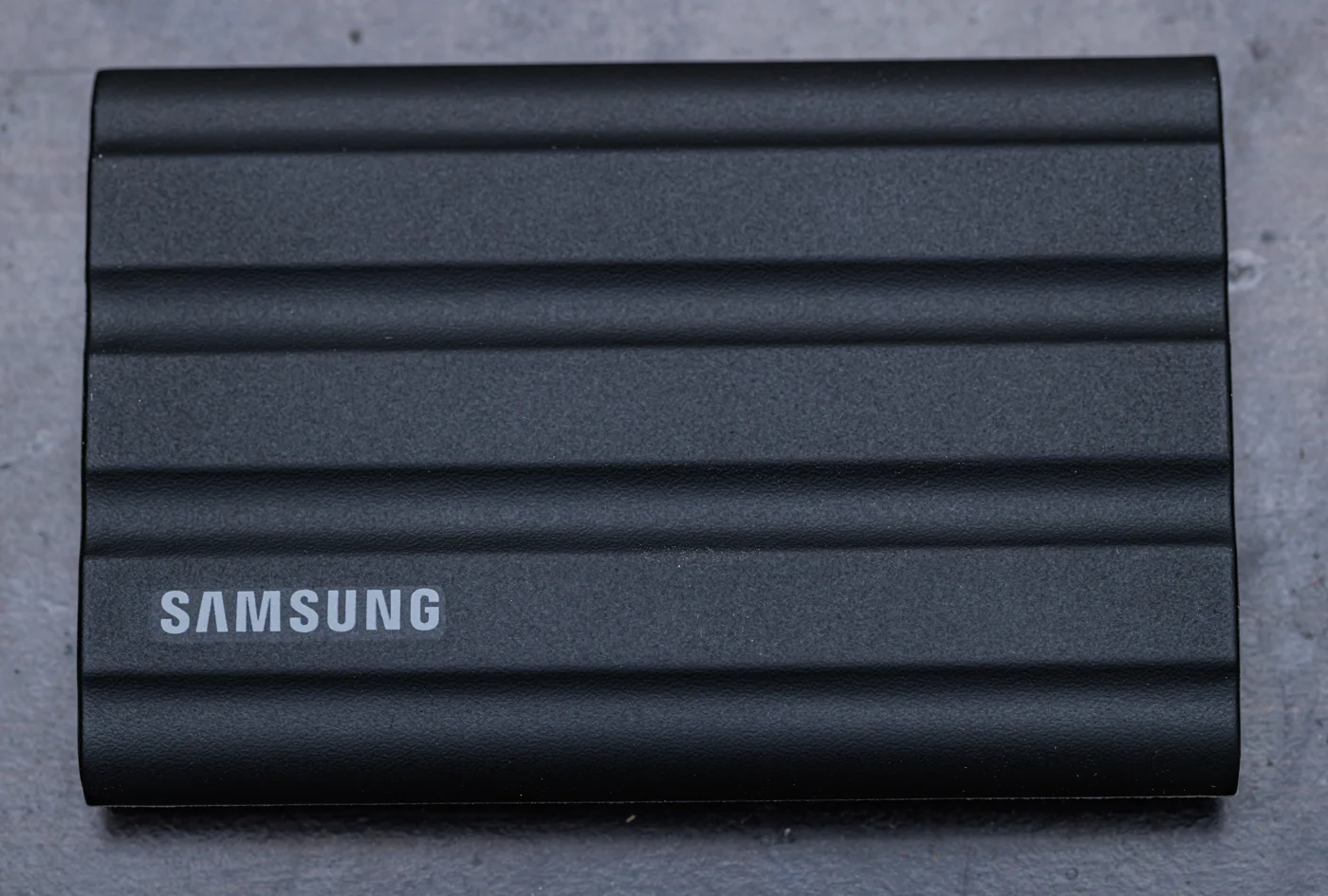

Consider it for: For a working library outside the laptop
The T7 Shield is a candidate when a desk upgrade really means making room for photographs, projects or a second copy of work. The textured enclosure gives it a different character from a bare metal drive. Choose capacity by the material you keep and the backup plan around it, rather than assuming the fastest advertised drive is the most useful.
Evidence: manufacturer information ↗ · Research checked October 18, 2026
Logitech Brio 500
Consider it for: For a monitor-centered video-call setup
An external camera can solve a positioning problem before it solves an image-quality problem. The Brio 500 is a candidate when your laptop sits off to one side or below a larger monitor. Put the lens near your sightline and improve the room lighting before expecting a new webcam to transform meetings. Its USB-C connection also belongs on the desk’s port inventory.
Evidence: manufacturer information ↗ · Research checked October 18, 2026
Elgato Stream Deck +
Consider it for: For repeated controls worth making physical
Buttons and dials make sense when the same adjustments interrupt your day. Stream Deck + is a candidate for people who can name those adjustments: changing audio, launching a sequence or controlling supported software. Before buying, sketch the first page of actions you would assign. If that page stays mostly empty, a keyboard shortcut may solve the problem more elegantly.
Evidence: manufacturer information ↗ · Research checked October 18, 2026
Elgato Wave:3 MK.2
Consider it for: For a desk where voice is the work
A dedicated USB microphone is worth considering for regular narration, presentations or calls where microphone placement is poor. Wave:3 MK.2 is the current reference on Elgato’s page, so match the generation when comparing listings. The first improvement to plan is physical: a sensible speaking distance and a room that does not overwhelm the voice with hard-surface reflections.
Evidence: manufacturer information ↗ · Research checked October 18, 2026
Apple Magic Trackpad, USB-C
Consider it for: For Mac users who work through gestures
A trackpad can be a desk upgrade even when the existing mouse works. Apple’s USB-C Magic Trackpad is a candidate for people who navigate macOS through gestures and want that interaction beside an external keyboard. It also allows a different arrangement on the desk. The purchase makes most sense when it preserves a working habit you already value on a MacBook.
Evidence: manufacturer information ↗ · Research checked October 18, 2026
Keychron K3 Max
Consider it for: For a compact mechanical working area
The K3 Max offers a low-profile mechanical direction for people who want more desk space without surrendering the function row. Consider it alongside a quieter scissor-switch keyboard rather than assuming mechanical is an automatic upgrade. The real decision is the layout and switch configuration you will type on every day. Keep the mouse position and the height of the keyboard in view.
Evidence: manufacturer information ↗ · Research checked October 18, 2026
TP-Link UE300C USB-C Ethernet adapter
Consider it for: For a fixed desk near a network socket
A wired network adapter is an unglamorous upgrade with a very clear purpose: give a USB-C computer access to an existing Ethernet connection. The UE300C is a candidate if your desk already has a network cable and the laptop lacks the socket. It can also help you compare a wireless problem against a wired connection before replacing a whole router.
Evidence: manufacturer information ↗ · Research checked October 18, 2026
The last word
Buy the smallest change that removes the obstacle. A webcam and better positioning may matter more than a dock; a working backup routine may matter more than a faster SSD. After adding a device, use the desk normally for a week before deciding what should come next.
For every connection, label the cable by its job. A charging cable and a display-capable cable can look deceptively similar, and a tidy desk is more useful when you can troubleshoot it without guessing.