Choose the software before the box
The appealing part of a home AI computer is that it gives experimentation a place to live. The expensive mistake is choosing the hardware before deciding what that experimentation involves. A Mac mini and an NVIDIA desktop can both belong in the conversation, but they reach it through different software stacks and memory arrangements. Neither is a universal answer to the phrase local AI.
Start with the application you want to use, the models it supports and the tasks you expect it to perform. Check current runtime documentation for the operating system and hardware. This article compares buying paths using published specifications. It does not contain matched inference measurements, and it does not declare a performance winner from chip names alone.
The compact Mac route
Apple’s published Mac mini specifications distinguish M4 and M4 Pro configurations. The exact chip and memory selection matter more than the miniature exterior. A high-memory configuration should not be assumed from a product photograph or the phrase AI-ready. Match the full specification before evaluating whether it is an appropriate experiment or an unnecessarily expensive way to buy a general desktop.
The attraction is a compact Mac that can also serve everyday work. That makes sense if macOS already suits your applications and your selected runtime supports the hardware. Include the monitor, keyboard and other equipment you need. A small computer is convenient, but convenience should be part of the comparison rather than a substitute for checking the model you intend to run.
The NVIDIA desktop route
A conventional desktop can give you more choice over individual components and, where the case and system permit, a future graphics-card replacement. NVIDIA’s RTX 5060 Ti illustrates why the exact memory variant matters: both 8 GB and 16 GB versions exist. A complete-PC headline that omits that distinction is missing a fact relevant to an AI buyer.
The tradeoff is a larger set of decisions: operating system, driver, runtime, case clearance, power supply and cooling. That can be welcome for an enthusiast and unwelcome for someone who wants an appliance. Consider the value of your own setup time. An apparently cheaper parts list can become an expensive project if you do not enjoy maintaining the machine.
Compare workloads, not unrelated memory numbers
Mac unified memory and dedicated GPU memory in a PC are different arrangements. Do not place the two capacity figures side by side and assume they describe the same available model space. Model representation, runtime, context and other active software all influence what is practical. Ollama’s hardware and context documentation helps frame those questions, but it does not replace testing your exact configuration.
For a fair comparison, keep the model version, quantization, prompt and context consistent. Record how long the initial response takes and whether the ongoing interaction is comfortable for your use. Note software versions and any offloading. Without those details, a token-speed number is difficult to interpret and especially difficult to turn into a recommendation for somebody else’s computer.
Privacy requires checking the application
Running a local model does not establish that every part of the workflow stays on the machine. Search tools, cloud integrations, optional remote models and document services can make network requests. Read the application’s settings and documentation. Use non-sensitive material for the first experiments and decide which connections you are comfortable enabling before moving private work into the system.
Also budget for the less glamorous parts of ownership: storage for model downloads, a backup of your own working files and time to update software. Keeping a collection of models is not the same as having a useful tool. A small set of well-understood models connected to a repeatable workflow can be more valuable than a disk full of unfamiliar downloads.
Our conditional recommendation
Give the Mac mini the first look when you want a compact everyday Mac, your preferred runtime supports it and the exact memory configuration fits a defined task. Give the NVIDIA desktop the first look when your software calls for its GPU ecosystem or you value component choice and future changes. Try an existing computer before committing to either purchase.
The Amazon searches below are starting points for comparing configurations. Check the full specification, seller, warranty and final price; we are not asserting that every result matches the recommended path. The right first machine is the one that helps you learn and complete useful tasks within a sensible total budget. A larger purchase can follow evidence from your own workload, rather than anticipation alone.
The decision at a glance
| Decision point | Mac mini path | NVIDIA desktop path |
|---|---|---|
| Memory arrangement | Unified memory shared with the rest of the system | Dedicated graphics memory plus separate system memory |
| Software question | Does the exact runtime support your Apple silicon and macOS version? | Does the exact runtime support the GPU, driver and operating system? |
| Ownership question | Choose the memory configuration at purchase; include the peripherals you need | Check case, cooling, power and supported component changes |
| A fair test would keep constant | Model, quantization, prompt, context and software versions | Model, quantization, prompt, context and software versions |
Products to investigate
These are relevant configuration examples, rather than a tested ranking. Use the manufacturer information to confirm the complete specification.
Apple Mac mini M4 Pro
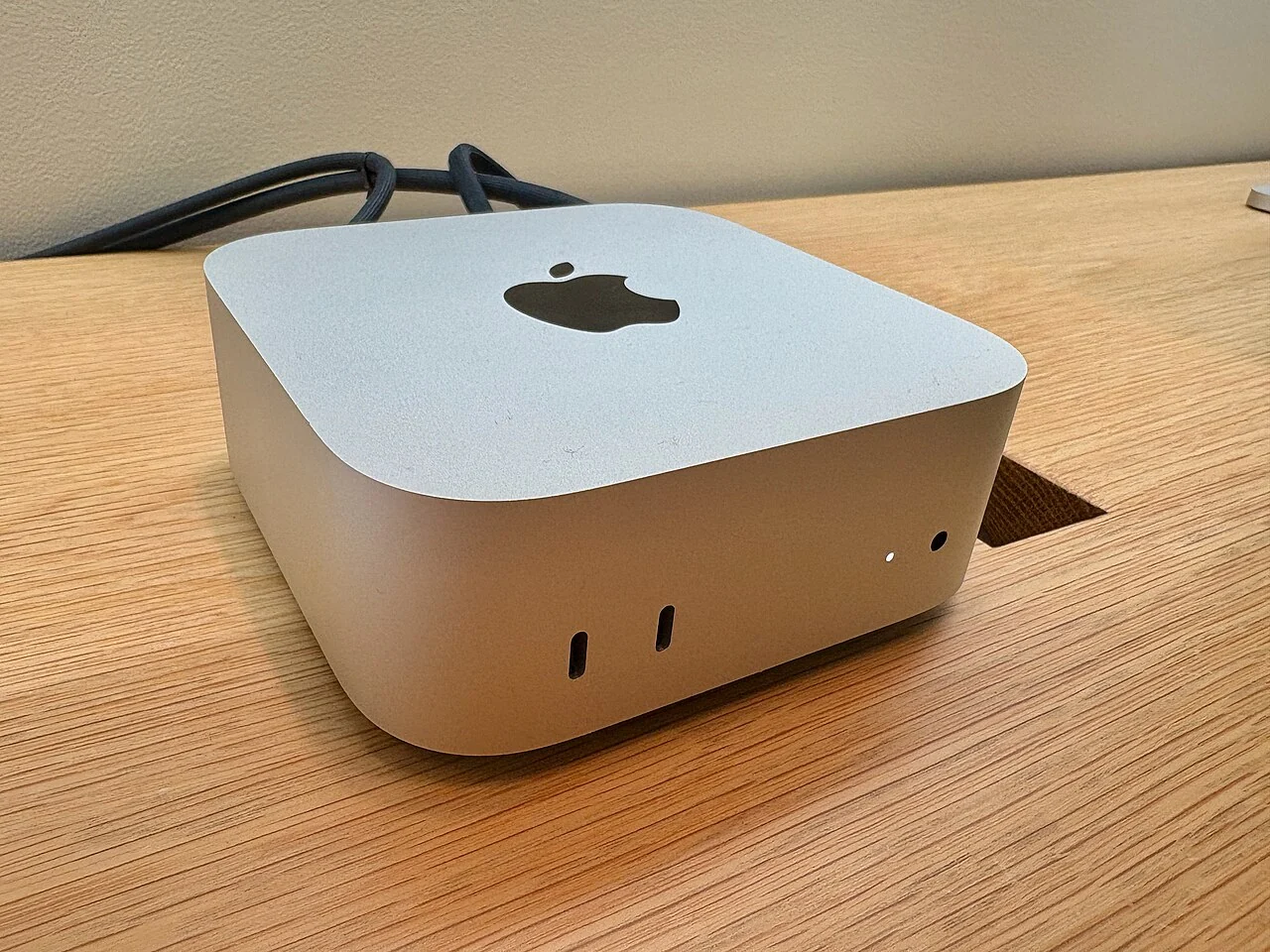

A compact macOS route to evaluate with a specified memory configuration.
Evidence: manufacturer information ↗ · Research checked October 18, 2026
RTX 5060 Ti 16 GB desktop
A conventional NVIDIA desktop starting point for a defined runtime.
Evidence: manufacturer information ↗ · Research checked October 18, 2026