
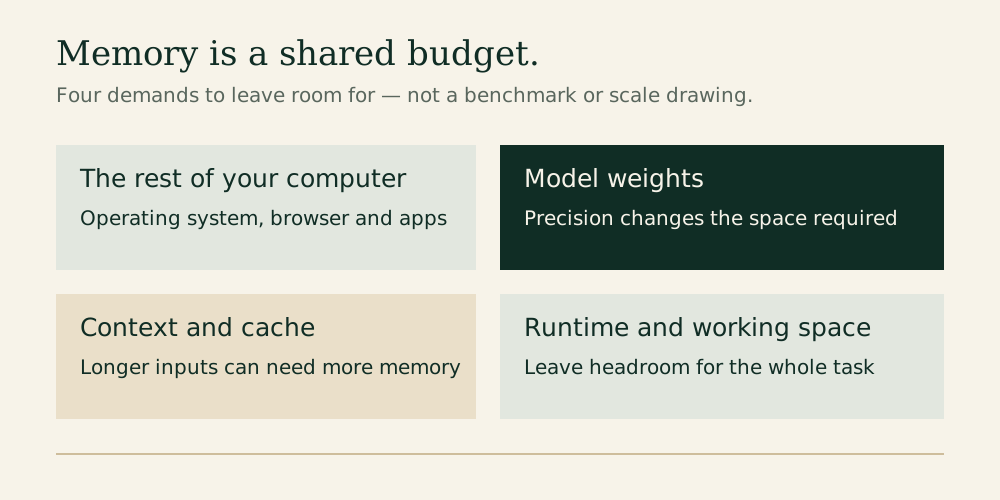
The appealing part of local AI is ownership: a model on your computer, ready when you want it. The confusing part is the specification sheet. A laptop's memory capacity, a graphics card's memory and a model's download size describe different things. Buying the largest number you can afford can still leave you with the wrong machine.
For a first local assistant, try the computer you already own. When buying specifically for regular local AI, 32GB is a sensible editorial starting point for a general-purpose laptop. Consider 64GB when you can identify a larger model or workload that needs the headroom. These are planning recommendations, not measured performance results or promises that particular models will fit.
The four memory tiers
Swipe or scroll the table sideways to compare every column.
| Installed memory | Our suggested role | The compromise to expect |
|---|---|---|
| 16GB | Learning, short chats and modest compressed models | Less room for documents, other applications and larger models |
| 24GB | A useful intermediate tier when the upgrade is affordable | More breathing room than 16GB, without removing model-size limits |
| 32GB | A practical starting point for a new everyday local-AI laptop | Large models and long contexts still need careful sizing |
| 64GB | More ambitious experimentation and heavier multitasking | Higher purchase cost; capacity alone does not guarantee speed |
Treat this table as a shortlist, then check your specific model, runtime and settings. LM Studio recommends at least 16GB of RAM for its Mac and Windows versions; it also notes that 8GB Macs may run smaller models with modest contexts. On Windows, its published guidance additionally recommends at least 4GB of dedicated graphics memory. That is an application baseline, not a guarantee for every model. LM Studio system requirements.
A model needs more than its download size
Model weights are the stored numerical values used to generate answers. Quantization stores those values at lower precision, reducing memory requirements with possible quality tradeoffs. Compatibility varies with the hardware and software involved. Hugging Face quantization overview.
Here is useful weight-only arithmetic. Eight billion parameters stored at exactly four bits each represent about four billion bytes before extra information and runtime allocations. At eight bits, the same parameter count represents roughly eight billion bytes. Neither number is the computer-memory requirement. Real files can include additional information, and inference needs working space beyond the weights.
That is why “the download is 8GB, so my 8GB computer is enough” is a poor buying rule. Your operating system, browser, other apps and inference engine all need room. Leave headroom instead of budgeting every byte for the model.
Longer conversations change the calculation
Context is the material the model can consider during a response: your instructions, conversation history and supplied content. A large advertised context limit is a capability ceiling. You do not need to allocate the maximum for every task.
Many models use a key-value cache to reuse attention calculations during generation. Cache strategy affects memory use, and a dynamic cache can grow as the sequence develops; some architectures apply window limits. Consequently, context length can change whether the same model fits comfortably. Hugging Face cache documentation.
Start with a short briefing task. Increase context when your actual documents need it. If memory pressure rises, reducing context or using a smaller model can be more useful than repeatedly forcing a load that leaves the rest of the computer struggling.
RAM and graphics memory need separate questions
On an Apple-silicon Mac, unified memory is shared across the system. On a PC with a discrete graphics card, the card has its own VRAM while the computer also has system RAM. Those capacities are not interchangeable shopping numbers. A 32GB PC with a small graphics card is not automatically equivalent to a 32GB Mac for a particular local-AI workload.
Before buying a PC, ask how much of the intended model can run on the GPU, what the runtime supports and what happens when it falls back to the CPU. Before buying a Mac, check memory allocation and model compatibility in the intended runtime. For either platform, prefer a demonstrated result for the exact configuration over a broad “AI ready” label.
A small experiment before a large purchase
Use a repeatable task: ask the model to turn a page of non-sensitive meeting notes into decisions, actions and open questions. Record the exact model file, compression variant and context setting. Note whether the answer is useful, whether other apps remain responsive and whether memory pressure climbs.
Then repeat with a longer document. This reveals whether your problem is answer quality, capacity or speed. A larger model may help one problem while making another worse. Keep the prompt and source material unchanged so the comparison means something.
For an existing 16GB laptop, this exercise can establish that you need no upgrade. For a new purchase, it gives you a concrete requirement to compare with a seller's configuration rather than an abstract desire for more memory.
What else deserves the budget?
Memory enables workloads; it does not by itself determine response speed. Processor and accelerator support, memory bandwidth, cooling and power settings also matter. A larger SSD is useful for keeping several models, but free storage does not become equivalent working memory. An external drive can hold model files without removing the runtime's memory requirements.
Check whether memory is upgradeable before committing to a configuration. Compare complete systems, including warranty and return terms, particularly when shopping older or refurbished machines. A low price is useful only if the actual memory configuration suits your workload.
The Editor's verdict
Keep 16GB if your modest local assistant already works. Choose 24GB when it is the well-priced step that preserves the laptop you otherwise want. Put 32GB on the shortlist for a new machine intended for regular local AI. Spend for 64GB when your model and workload justify it. Buy the capacity your work can use, and verify performance separately.
Research checked October 21, 2026. This is a researched buying guide; the memory tiers are editorial planning advice, not a hands-on benchmark.
Explore the options
A configuration example to compare after sizing your workload. Start with the computer you already own.
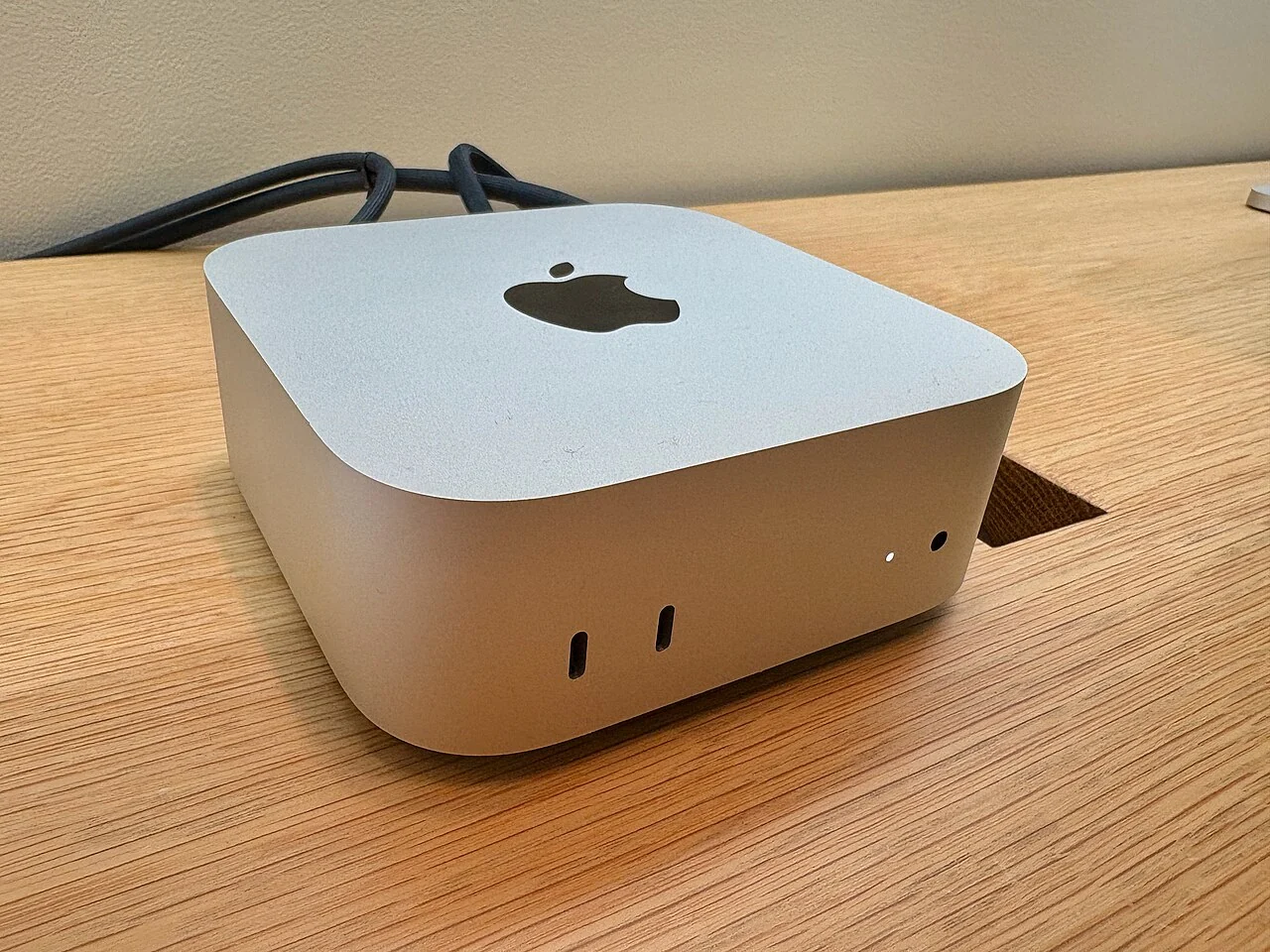

Apple Mac mini M4 Pro — 24GB / 512GB
A compact desktop configuration to compare after sizing your local model.
As an Amazon Associate I earn from qualifying purchases. We may earn a commission from qualifying purchases through this button.
View exact product on Amazon ↗ (paid link)