The purchase you cannot judge from a screenshot
A full memory bar can look alarming, but it is not a shopping instruction. Computers use available memory to keep useful work close at hand, and the right question is whether the machine is struggling with your workload. Buying twice the capacity because a chart looks busy can be wasteful. Ignoring repeated slowdowns because a spec sheet says the minimum is enough can be just as costly.
Our starting position is simple: 16 GB is a plausible option for many general-use workflows, while 32 GB deserves consideration for heavier concurrent work and planned local AI. These are editorial starting points, not universal requirements or benchmark findings. The decision depends on your applications, the size of your projects and whether memory can be changed later.
Measure your real working session
Open a normal day of work: the browser tabs you keep, your communication tools, documents and the application that does the serious processing. Observe the computer while doing the task that usually feels slow. On a Mac, Apple explains how to use Activity Monitor and its memory-pressure indicator. Take observations over several representative sessions instead of drawing a conclusion from a freshly restarted, nearly empty desktop.
On any platform, note which action causes the delay. Waiting for a remote website, importing files from a slow external drive and running out of working memory are different problems. If everything is responsive until an unreliable video call, a memory upgrade may solve nothing. Write down the symptom before deciding which component deserves the money.
The case for 16 GB
For a computer used mainly for email, documents, moderate browsing and streaming, the lower option may leave more budget for a better screen or a proper backup. Do not inflate a simple workflow into a demanding one to justify a premium purchase. A person who closes projects when finished has a different pattern from someone who keeps several large creative applications active together.
Check the software publishers’ requirements, but distinguish the minimum needed to launch a program from the experience you want while using it alongside everything else. If your current similar-capacity computer remains responsive under a realistic workload, that is useful evidence. It is more relevant than an online argument about what every future computer supposedly needs.
When 32 GB earns its place
The larger configuration becomes easier to justify when your work involves sizable photo catalogs, layered creative documents, multiple development tools, virtual machines or frequent switching among demanding applications. Its value is room for the work to coexist. It should not be described as an automatic doubling of speed: a task limited by another component may show little benefit.
Local AI adds a separate sizing exercise. The model, its numerical representation, context and runtime all affect memory needs. Thirty-two gigabytes of system memory does not make every large model fit, and it is not the same thing as 32 GB of dedicated graphics memory. Choose a model and runtime first; then use their requirements to decide whether either laptop option makes sense.
Longevity is a plan, not a prediction
If memory is fixed at purchase, a little justified headroom can be sensible for a computer you expect to keep. But the phrase future-proof can conceal almost any price increase. Describe the future task you actually anticipate: a larger photo project, a development course or a particular local model. If you cannot name the task, treat the extra capacity as optional insurance rather than a necessity.
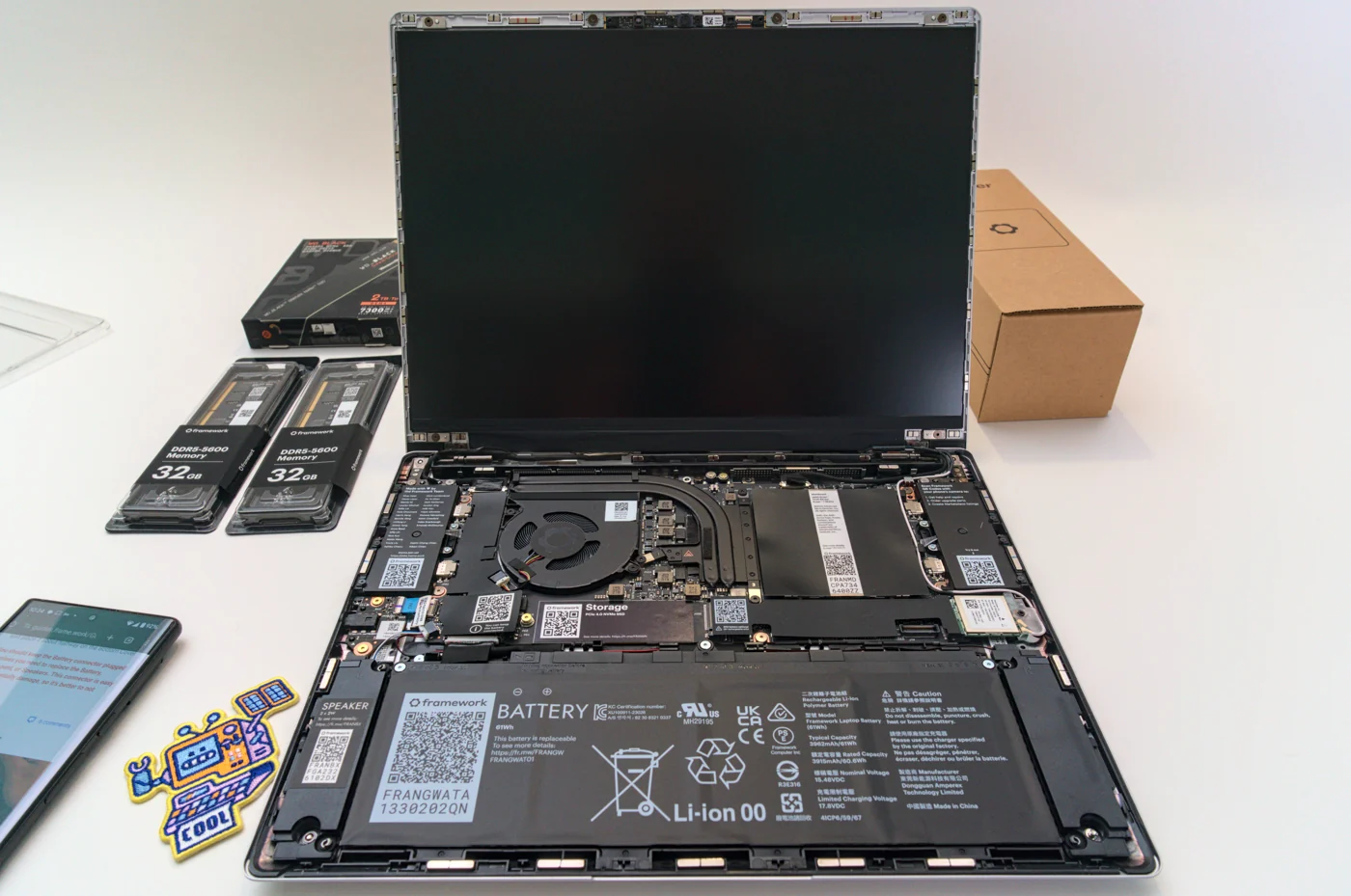
If memory is replaceable, confirm the exact machine’s module type, supported capacity and upgrade instructions. Repairability varies even within brands. A seller saying a laptop has 32 GB installed does not establish that the owner can change it later. Verify that detail in manufacturer documentation before building a savings plan around a future upgrade.
The recommendation
Buy 16 GB when your observed workload is comfortable and the budget saved improves something you will notice every day. Consider 32 GB when your current sessions show pressure, your work combines demanding tools or you have a credible next workload that needs the room. If you run specialized software, its own documentation overrides a general magazine recommendation.
Our Amazon searches are deliberately labeled by capacity, but each result still needs a configuration check. Compare like-for-like machines; a processor, display or storage change can distort the apparent cost of memory. Keep the shortlist small and judge the total purchase. The aim is to stop thinking about memory after you buy the laptop, because the computer has enough to do your work comfortably.
The decision at a glance
| Buying question | 16 GB | 32 GB |
|---|---|---|
| Starting point | General documents, browsing and everyday work when your actual sessions remain responsive | More room for concurrent demanding applications and a defined next workload |
| What it does not establish | That every application or future project will fit comfortably | An automatic doubling of speed, or enough capacity for every local AI model |
| Check before checkout | Exact machine, memory upgradeability and your application requirements | The same machine specification so you can isolate the cost of extra memory |
Products to investigate
These are relevant configuration examples, rather than a tested ranking. Use the manufacturer information to confirm the complete specification.
MacBook Air M5, 16 GB listings
A starting search for a general-use Mac configuration.
Evidence: manufacturer information ↗ · Research checked October 18, 2026
MacBook Air M5, 32 GB listings
A capacity-focused search for heavier concurrent workflows.
Evidence: manufacturer information ↗ · Research checked October 18, 2026